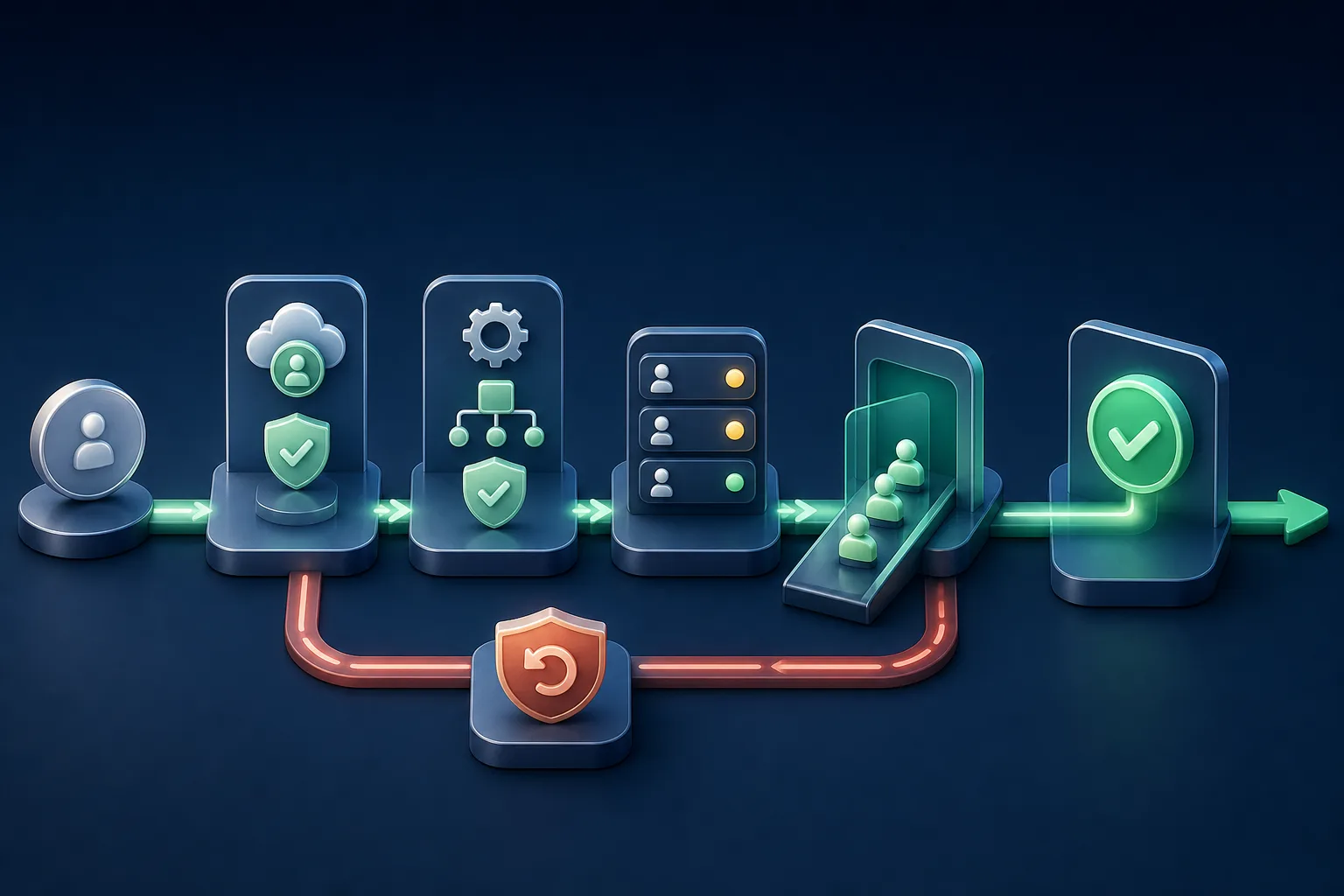
To implement WhatsApp Business Platform without disrupting customer service, manage it as a controlled operating change. Name the owners of the account and phone number, confirm the applicable onboarding path, configure webhooks and templates, prepare queues and accountability, run a limited pilot, validate real messages, and only then change the official inbox. Before cutover, document how to pause, return, and reconcile conversations.
Start with the workflow that must work, not the credential
The first decision is operational: which phone number, conversation types, hours, teams, and systems belong in the first cutover? If the choice between the app and the platform is still unsettled, use the WhatsApp Business App or API guide before opening the project. The Platform provides programmatic access; it does not decide how your team receives, accepts, transfers, and closes customer cases.
Select a representative but bounded workflow, such as support for one product or enquiries for one location. Record interval volume, top contact reasons, business-initiated messages, CRM dependencies, peaks, owners, and exceptions. State what is outside the pilot too. A firm boundary prevents one registration, routing, or template failure from affecting the entire operation.
- objective and initial workflow, with a named business owner;
- phone number and account, without assumptions about migration;
- the inbox that is authoritative during pilot and production;
- hours, teams, permissions, and absence cover;
- dependent systems and a technical owner for each integration;
- measurable proceed, pause, and rollback criteria.
Protect ownership of the account, number, and access
The Meta Terms for WhatsApp Business state that API access requires a WhatsApp Business Account (WABA) linked to a Meta Business Manager account. Operationally, the company should keep ownership and administration under controlled corporate identities instead of depending on a supplier’s personal login or one employee.
Before onboarding, list the administrators for the business portfolio, WABA, phone number, billing, templates, and support. Confirm how the provider receives access and how that access can be removed. The official ecosystem distinguishes partners that build technology from those that may also provide implementation, support, or billing services. Document ownership, operations, and payment responsibilities separately.
The phone-number path can vary with its current state and the onboarding flow made available by the provider. Do not assume the app will remain active, message history will transfer, or the change will be instant. Ask for written answers covering a new number versus migration, any applicable embedded onboarding route, verification, expected downtime, history, reversal, and support ownership. The official WhatsApp Business Platform onboarding guide recommends aligning goals, technical requirements, policies, and quality before scaling; confirm the current mechanics for your path with official documentation and the chosen partner.
Validate the integration before admitting live customer traffic
Meta’s official Postman workspace describes Cloud API as the official API for programmatically sending and receiving messages, and separates WABA management from messaging operations. Reflect that separation in the implementation plan: business assets and credentials have owners and access lifecycles; messages, webhooks, and queues need their own operating controls.
| Layer | Minimum test | Exit evidence |
|---|---|---|
| Account and number | Correct WABA, reviewed name and profile, verification available | IDs and owners recorded without exposing secrets |
| Credentials | Least privilege, secure storage, and planned rotation | Access works and revocation is rehearsed |
| Inbound | Valid webhook, verification, duplicates, and out-of-order events | Events are received and processed idempotently |
| Outbound | Service reply, approved template, variables, and characters | Message IDs correlate with later statuses |
| Failures | Invalid token, timeout, rejection, wrong destination or template | Visible error, no loop, and a human action |
| Observability | Logs, alerts, and correlation without unnecessary sensitive content | One person can reconstruct the test |
Phone registration includes a dedicated call in the official Cloud API reference. It is not the whole onboarding process. Before registering or changing an asset, confirm the WABA, method, PIN, permissions, impact, and sequence approved by the provider. Never paste a token, PIN, or secret into an editorial document, public ticket, or team chat.
Test the complete webhook and message-status lifecycle too. An accepted send request does not establish delivery, reading, or service. Store the external identifier, correlate events, and route failures to action without assuming every event arrives once or in order.
Design queues, rules, and human escalation before cutover
The WhatsApp Business Messaging Policy requires opt-in for business-initiated contact, respect for opt-out, approved templates to start Platform conversations, and templates outside the 24-hour customer service window. It also requires a prompt, clear, and direct escalation route when automation is used. Those rules must appear in the agent workflow, not only in a policy file.
Define the intake queue, triage owner, departments, acceptance criteria, and how conversations return to cover when someone leaves. The department-routing guide helps structure classification, transfer, and fallback. For each automation, identify the trigger, approved knowledge, limits, human exit, and who can pause it.
Prepare templates before the pilot and treat them as versioned assets: purpose, category, audience, variables, example, approval, owner, and retirement. Use the message-template governance checklist to prevent an approved template from being reused in a context the customer did not expect.
Pilot through three quality gates
The official onboarding material groups adoption into foundations, test and learn, and scale. Turn that into three internal gates. The technical gate covers account, number, events, sends, and failures. The operating gate covers queues, owners, transfers, the service window, templates, and opt-out. The customer gate checks that real messages are expected, timely, relevant, and able to reach a person when needed.
- Internal pilot: authorized staff numbers, normal cases, and forced failures.
- Controlled pilot: one workflow, a small team, an eligible audience, and live supervision.
- Limited production: expand by interval, reason, or location while keeping a pause control.
Measure intake, replies, errors by stage, ownerless messages, transfers, queue age, rejected templates, opt-outs, missing statuses, and cases that had to return to the previous inbox. Sent volume is not a success criterion. Exit the pilot only when operating quality is stable and known errors have defined handling.
Run cutover with a clock, an owner, and verifiable rollback
Record the date, time zone, expected duration, and decision makers. Freeze non-essential changes, save the last known-good state, brief the team, and maintain an alternative coordination channel. During cutover, validate a customer-initiated conversation, a reply, an eligible template, assignment, transfer, attachment, status, and closure. Watch both old and new queues to prevent duplicate replies.
Rollback cannot mean “go back if something is wrong.” Specify triggers: inbound messages do not arrive, replies fail beyond tolerance, the queue is invisible, ownership disappears, opt-out is not applied, or the team loses necessary history. Name the decision maker, automation to pause, inbox that becomes authoritative again, method for reconciling open conversations, and incident record. Adapt the channel contingency plan to your phone number and provider.
After stabilization, remove temporary access, rotate secrets where planned, confirm billing and ownership, review official quality, and compare operations with the baseline. Only then expand departments, integrations, and automation. A good implementation is not the one that changes everything in one day; it is the one that lets the team advance with evidence without trapping customers between two inboxes.
Official sources consulted
- WhatsApp Business — official Business Platform onboarding guide
- WhatsApp — Meta Terms for WhatsApp Business
- Meta — official WhatsApp Business Platform collections on Postman
- Meta — official Cloud API phone-registration reference
- WhatsApp Business — Business Messaging Policy
- WhatsApp Business — partner ecosystem and roles